
Follow this tutorial to edit or delete Scheduled Tasks (Cron Jobs) in Plesk.
How to Edit a Scheduled Task?
1. Log in to your Plesk account. (e.g., https://example.com:8443 )
2. In the right-hand sidebar, click on Scheduled Tasks.

3. Under the Command text, locate your task and click on it.

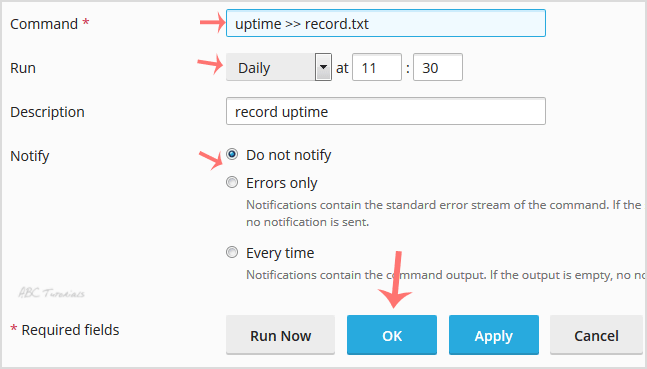
4. Make appropriate changes and then click OK.
How to Delete a Scheduled Task?
1. Under the Command text, locate your task and select the tasks you wish to remove. Click on Remove next.
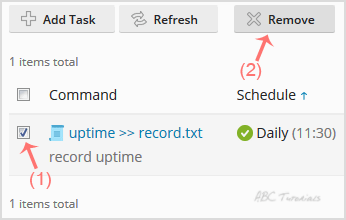
2. A confirmation box will appear. Click Yes, and the selected task will be removed.
Leave a Reply