
You can forward the email to other email accounts using Outlook 2019.
1. Open Outlook 2019.

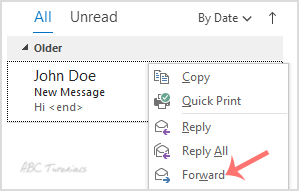
2. Go to Inbox, right click on the message you want to forward, and click on Forward.
3. Enter an email address of the person to whom you want to forward the email to in the To Type your message in the message box and click Send.

Leave a Reply