
You can not remove the Uncategorized category, but you can rename it.
1. Login to your WordPress admin dashboard.
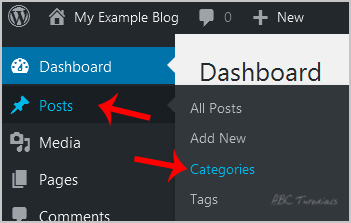
2. Under the dashboard menu, hover your mouse on Posts and then click on Categories.
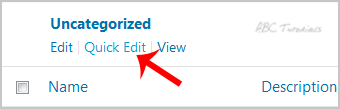
3. On the right side, you can see the Uncategorized category option. Please hover your mouse on it, and a few options will appear. Click on the Quick Edit option.
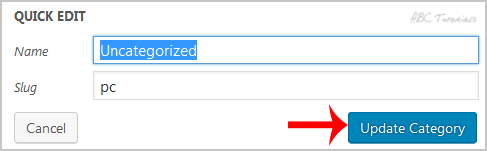
4. Change the name and slug and then click on the Update Category option.
Leave a Reply