
How to Enable I am under attack mode of Cloudflare in cPanel?

Contents

    Cloudflare provides DDoS attack protection by performing an additional security check of visitors. We recommended you only enable this If your website is under attack. After mitigation, If you are assured that the attack is stopped, then you can disable it.


    1. Log into your cPanel account.

    2. In the Software section, click the Cloudflare.


    3. Click on Sign in Here to access your Cloudflare account.


    4. Click on the Settings menu.


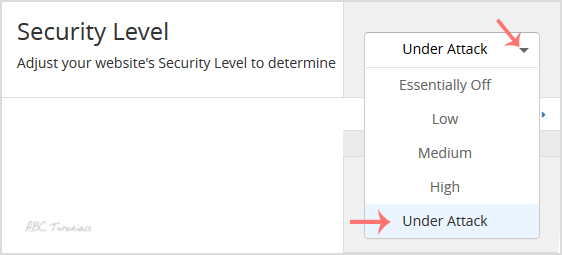
    5. In front of the Security Level, You can see the Drop-down menu. Choose the Under Attack option from the Drop-down menu, and your setting will be automatically saved.
    Updated on December 11, 2020
    Was this article helpful?

    3 responses to “How to Enable I am under attack mode of Cloudflare in cPanel?”

    1. Rasmus Joensen Avatar

      Great for anyone whose site is getting hammered. Short, to the point.

    2. Quang Pham Avatar

      Turned it on during a traffic spike last month and it helped. Good explanation here.

    3. Zsolt Barta Avatar

      Under attack mode sounds dramatic. When would you really flip it on?

    Leave a Reply

    Your email address will not be published. Required fields are marked *